Client
Kärcher
Role
UX Design
Type
IoT Mobile App
KIRA Robots
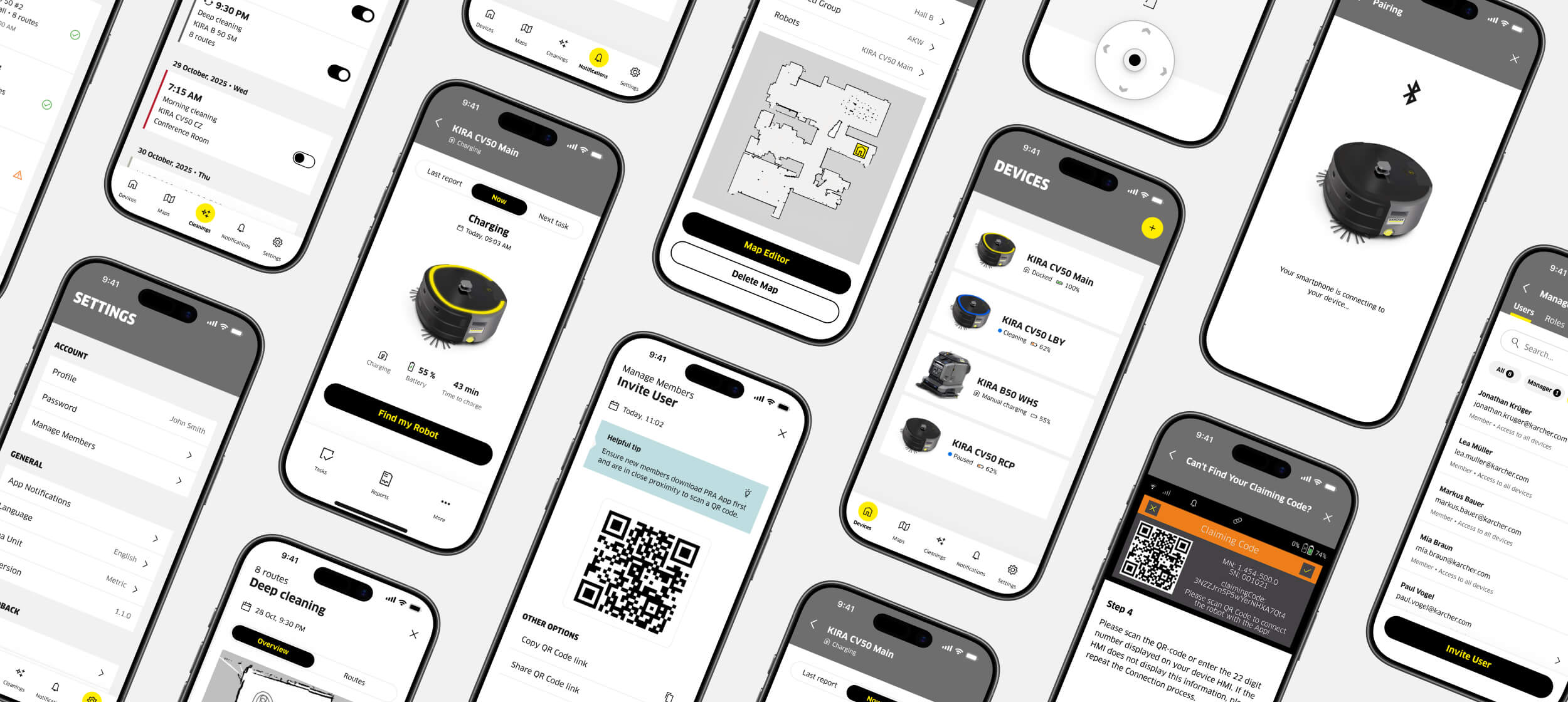
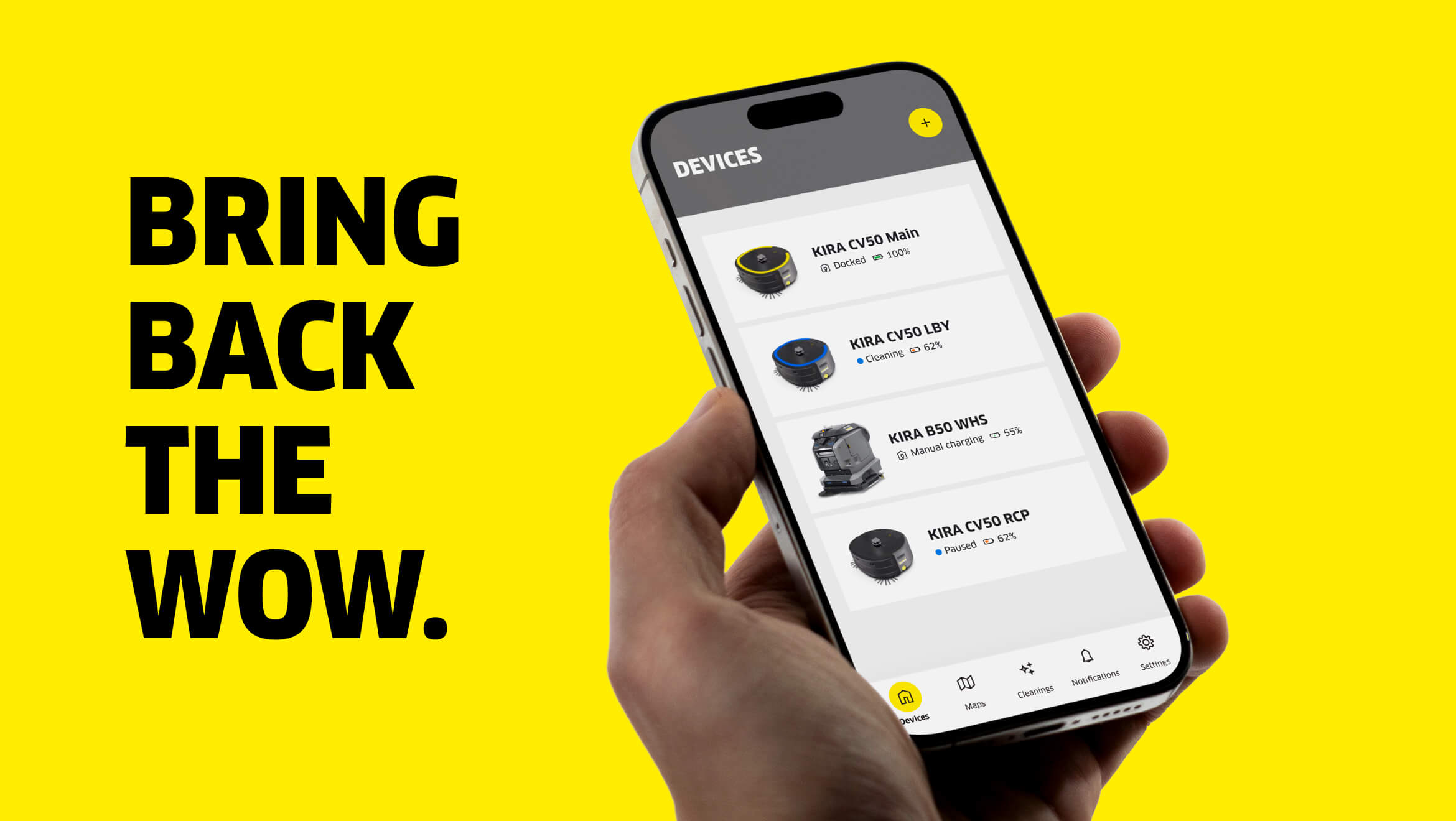
A mobile IoT app that gives facility managers full control over their KIRA robot fleet, from map editing, scheduling to reporting.
From day one, the goal was to go from concept to launch — and my UX work shaped key features like the Map Editor, Scheduling, User Permissions, and Settings.
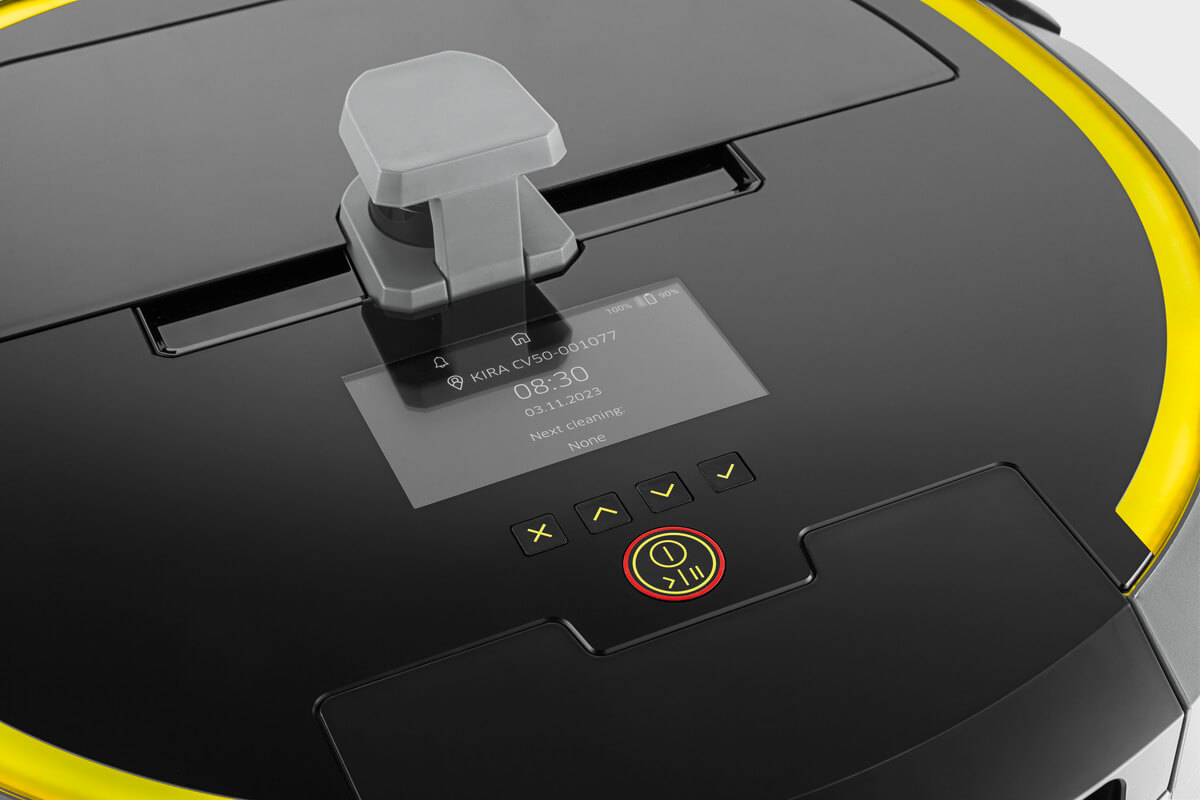
A real challenge was working within the hardware constraints of the device, finding solutions that delivered a solid app experience while reducing the gap between the app and the device's HMI.
From concept to launch
Designed to scale across a fleet of devices, the app shipped with five core features, now supporting two robot models.
5
Features designed from concept to delivery
2
Distinctive robots supported
Map Editor
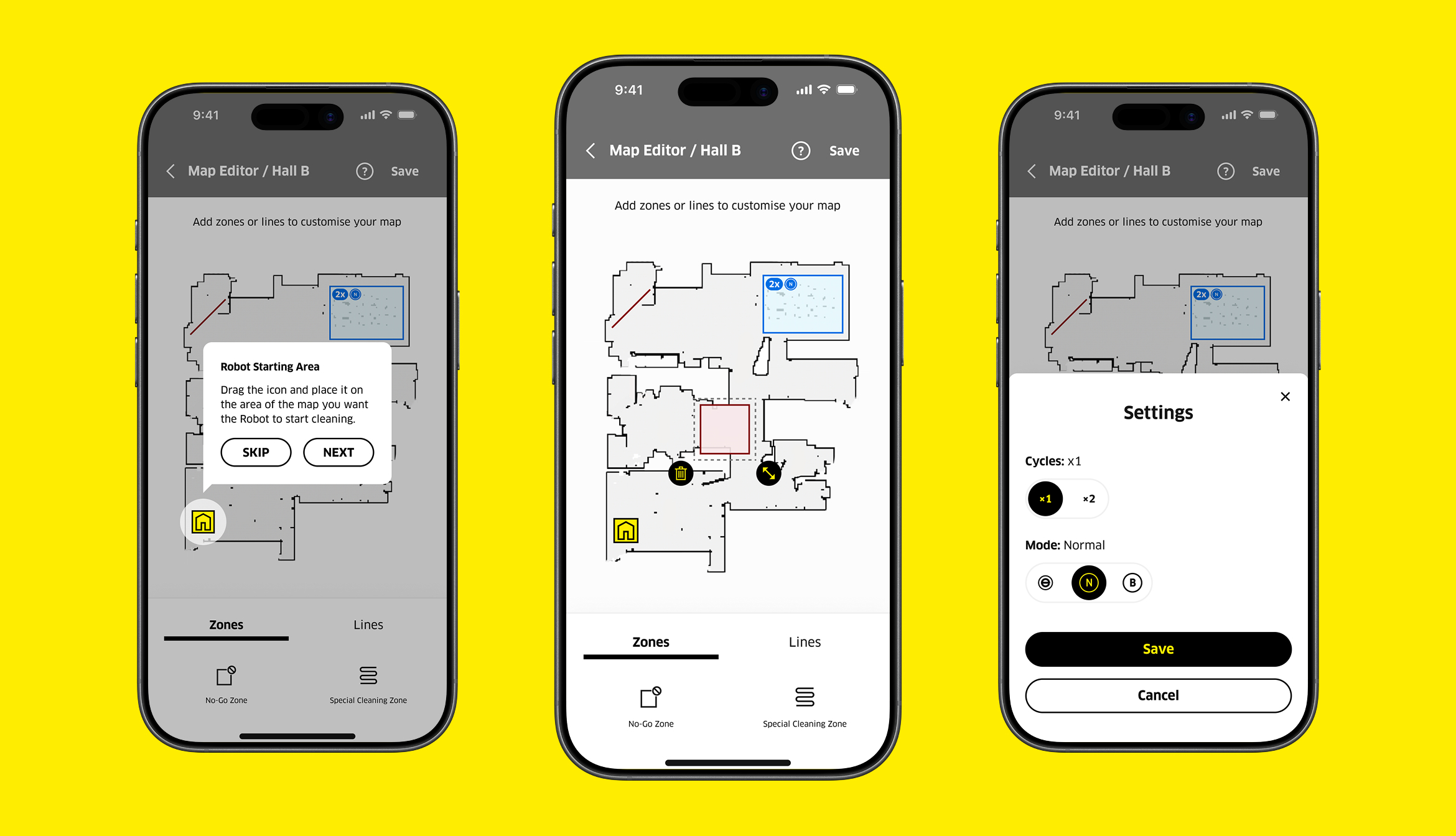
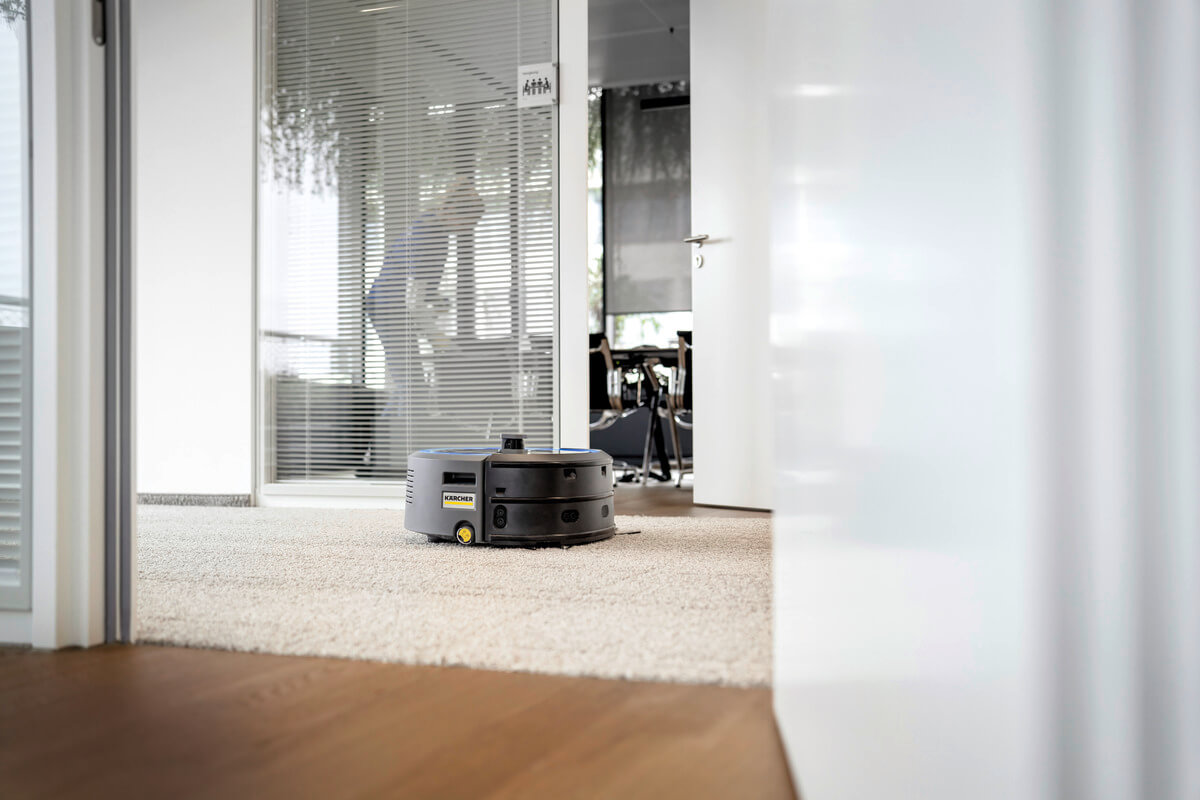
KIRA CV50 was the first robot supported by the app. With no way to control the device remotely, Map Editor became the first major feature to roll out, allowing users to edit maps previously saved on the device's HMI.
SOLUTIONS
A quick in-app tour guides users through the Map Editor basics, making it easy to start from day one.
Users can add no-go zones and lines with clear visual feedback, beyond the limited HMI space.
Cleaning zones can be fine-tuned by adjusting cycles and suction mode directly from the app.
Cleanings Schedule
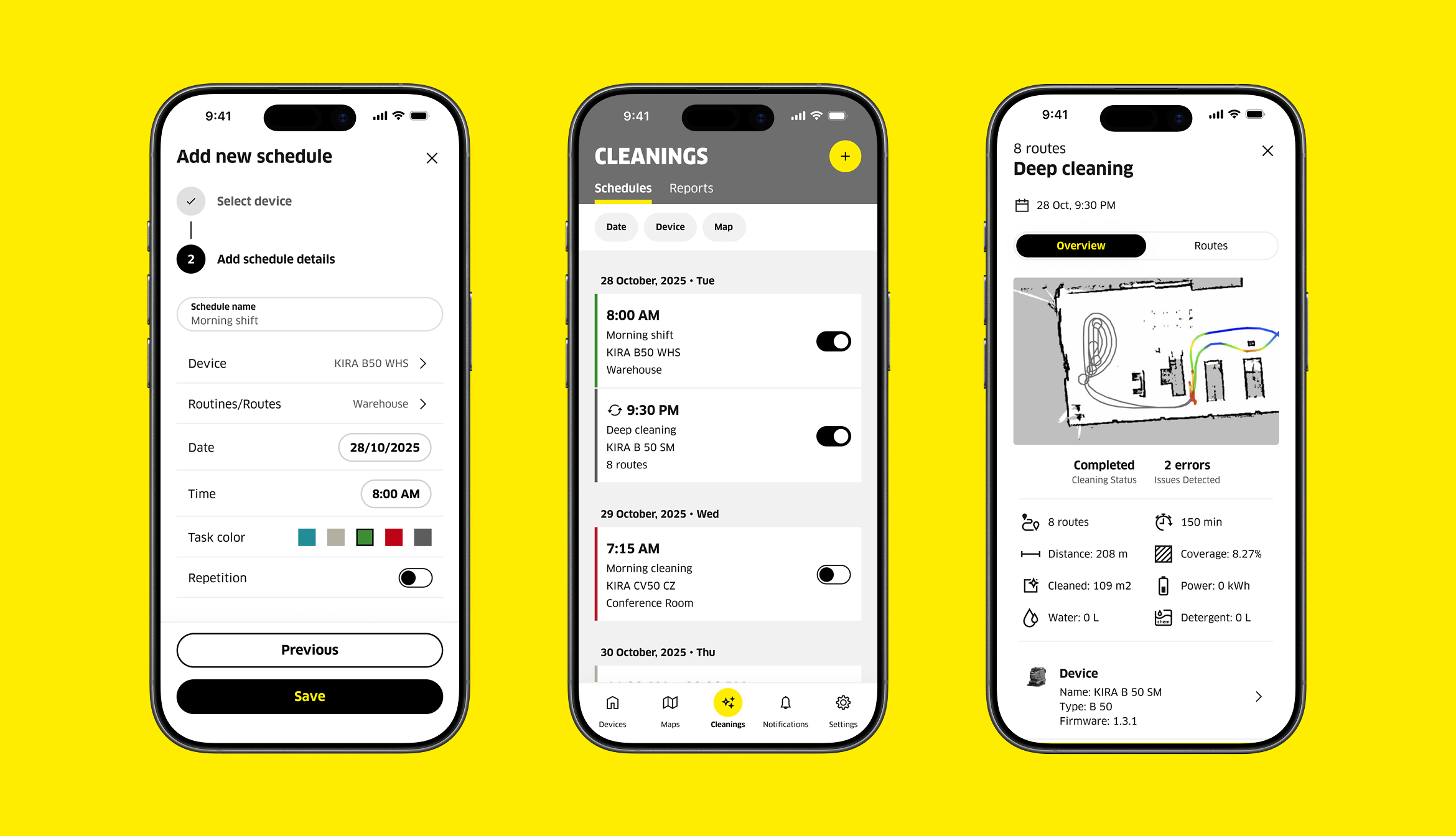
The Cleanings feature gives site managers a faster way to create and track cleaning tasks across multiple devices, replacing the need to manage each robot individually through its HMI.
SOLUTIONS
A two-step flow to create a task with details like device, route, date, time, color and repetition.
A schedule view of all cleaning tasks, filterable by date, device or map.
Automated cleaning reports with detailed metrics like cleaned area, water usage or distance.
FINAL THOUGHTS
Beyond the HMI
Overall the app improved over time because it stopped depending so much on the device's HMI and started delivering its own value. Joystick navigation, robot controls, a quicker map editor, and more consistent UX patterns were some of the results of that shift.